

Survey
 The survey course element offers the possibility to conduct anonymous statistical surveys in the course. This allows you, for example, to obtain direct feedback on your course.
The learning platform supports the ONYX Testsuite and therefore enables convenient survey creation with a wide range of functions.
Usage: Learners' View
Overview
In the survey course element, you can start and run a survey configured by the course author. Please note that a survey can only be carried out once. However, it is possible to pause the survey, i. e. you will be able to exit the survey early and resume it later where you left off. |
|

Functions for users
Start and finish survey | Start a survey as follows:
|
Configuration: Authors' View
In the course editor
The following functions are available to you in the course editor:
Add a survey course element | Click to open instructions on how to add a course element ...To integrate a course element into your course, proceed as follows:
| |||||||||||||||||||||||||||||||||||||||||||||||||
General configuration settings | In the course editor, you will find the following configuration tabs:
| |||||||||||||||||||||||||||||||||||||||||||||||||
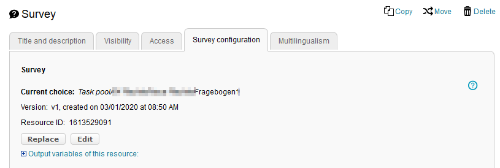
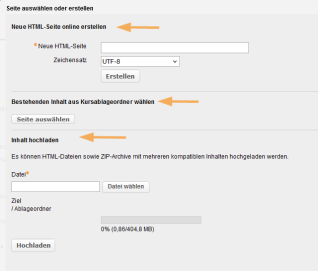
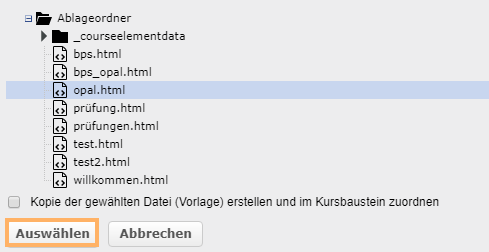
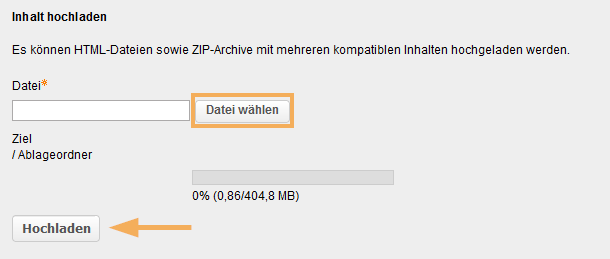
Survey configuration |
|


 plus icon in the Actions column.









Evaluate survey
In the assessment tool of the course, you can view the statistical evaluation of the survey. More information can also be found on the Statistical evaluation help page in the ONYX help.
Archive survey results
Survey results can be saved through the data archiving process. For more information on this function, see the Data archiving help page.