
Hide Right/Wrong Marking for a Single Question (CSS)
The right/wrong marking in ONYX is always carried out with the icons for correct and incorrect answers. For some questions, the user can derive the correct solution from this marking. If no right/wrong marking shall be carried out in the entire test, this can be configured in the question assessment settings by enabling the option "points achieved".
If the marking in the test shall be prevented for specific questions only, this can be achieved by using a CSS markup. This is possible for all other automatically evaluable task types except for the Hotspot task type.
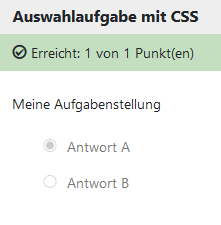
Hide right/wrong marking
Hide right/wrong marking mean no red or green tick and no red cross will be displayed
To do this, use the following CSS code:

Hide marking for correct answers
Hide marking for correct answers mean no red tick will be displayed)
To do this, use the following CSS code:

Save the code in a CSS file (.css). Then add the CSS file to the question content by uploading it as a style sheet file to the Layout settings section in the Options tab.